Engineering & CAD

Model Builder
Feature-rich 3D modeling tool for creating, editing, and exporting 3D models
A standalone 3D modeling tool that enables users to create, edit, and export 3D scenes and objects with an intuitive interface, supporting multiple file formats
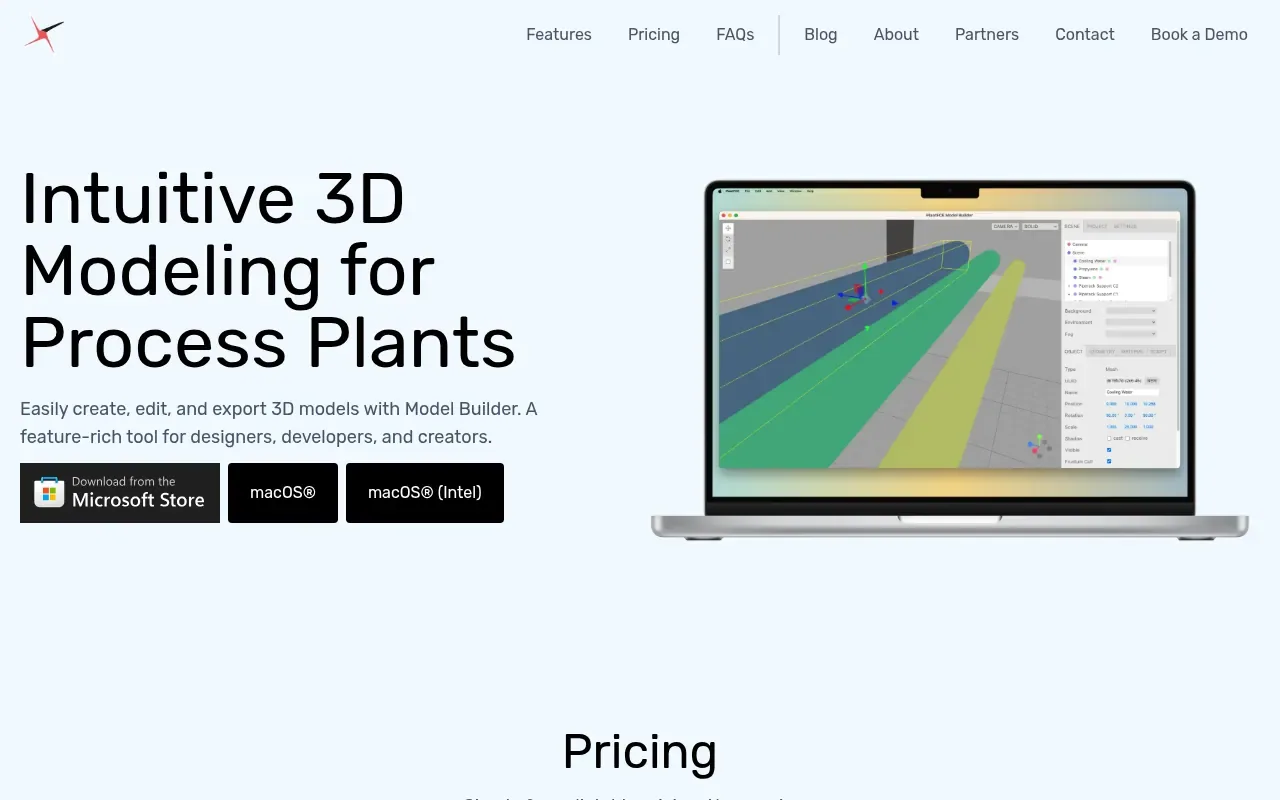
Model Builder is a 3D modeling application designed for creating, editing, and exporting 3D scenes and objects. It provides an intuitive interface that does not require programming skills, though advanced users can employ scripting for custom functionality.
The tool supports popular 3D file formats including OBJ, FBX, GLTF, and STL for both import and export. It includes a customizable material editor for adjusting textures, colors, and properties like roughness and metallic effects.
Model Builder operates as a standalone application and works offline without requiring an internet connection. It features scene hierarchy management through a tree-view panel, lighting configuration tools for various light types, and camera controls including orbit, pan, and zoom manipulation.
The software is available for both macOS® and Windows® platforms and requires a minimum of 8GB RAM with a dedicated graphics card and WebGL support. It supports both dark and light mode interfaces.
Features on record
- 3D Model Import/Export supporting OBJ, FBX, GLTF, and STL formats
- Customizable Material Editor for textures, colors, and properties
- Object Manipulation Tools for moving, rotating, and scaling
- Scene Hierarchy Management with tree-view panel
- Lighting Configuration with point, directional, spot, and ambient lights
- Camera Controls with orbit, pan, zoom, and preset views
- Dark and light mode interface support
- Default 30x30m grid scene with 5x5m and 1x1m demarcations
- Modeling above and below surface with positive and negative y-axis
- Project sharing through file export and import
Pricing
Pricing model: Freemium
Monthly: $49 (reduced from $59), Yearly: $589 (reduced from $689), Enterprise: Custom pricing. All plans include a 30-day free trial, single or multi-user license for macOS® or Windows®, Model Builder access, email support, and 12/7 phone support.
Model Builder: the metrics
| Metric | Value |
|---|---|
| Domain Rating | 36 +1 (up) since last check |
| Trust Flow | 3 no change since last check |
| Citation Flow | 30 no change since last check |
| Referring domains | 44 no change since last check |
| External backlinks | 338 no change since last check |
Ahrefs Domain Rating recorded 29 Oct 2026, entry changed 27 Oct 2026. Recorded topic: Business/Construction and Maintenance (3). Majestic recorded 24 Oct 2026, entry changed 24 Oct 2026. Link data on record from Majestic. Trust Flow, Citation Flow and Topical Trust Flow are trademarks of Majestic-12 Ltd.
Model Builder: domain on record
Read what the registry says
| Domain age | 2 years |
|---|---|
| Registered | |
| Expires | |
| Registrar | NameCheap, Inc. |
| DNSSEC | Not signed |
Model Builder: since launch
What we have measured for Model Builder since it went live on The Launch Directory on 24 October 2026.
- 36 Domain Rating (Ahrefs) +2 (up) since launch
at launch: 34 (24 Oct 2026); latest: 29 Oct 2026 - 44 Referring domains (Majestic)
first measured 24 Oct 2026
Day 6 since launch. Next receipt: day 30, 23 Nov 2026. A change here is a reading, not a claim about its cause; lots of things move these figures. Anything we do not measure is not shown.
Compare and explore
Questions answered
- What is Model Builder?
- Model Builder is a 3D modeling tool designed for creating, editing, and exporting 3D scenes and objects with an intuitive interface.
- What file formats does Model Builder support for import/export?
- Model Builder supports popular 3D file formats like OBJ, FBX, GLTF, and STL for both import and export.
- Do I need programming skills to use Model Builder?
- No, Model Builder provides an intuitive interface for editing 3D models without programming skills, though advanced users can use scripting for custom functionality.
- Does Model Builder work offline?
- Yes, Model Builder is a standalone application that does not require an internet connection for core functionalities.
- What are the system requirements for running Model Builder?
- Model Builder requires a modern computer with a minimum of 8GB RAM, a dedicated graphics card, and support for WebGL.
Leave a review for Model Builder
There are no reviews of Model Builder on record yet. Add the first.
A review here is free and cannot be bought. Consult the reviews and discussion
Reviews on record · Record updates · Share this record · Is this record about your company? Claim it · Report this record
Model Builder has a free listing. The owner can unlock the full profile with a paid launch for $5:
- Founder story (locked)
- Milestones (locked)
- Demo video (locked)
- Dofollow website link (locked)
Related coverage: alternatives to Model Builder
 FloorableAI-powered indoor mapping and wayfinding software that transforms static floor plans into interactive 3D maps